NEWNew: Agent is live — chat to generate videos, no parameters neededTry Agent
LogoSeedance 3 Video
  • Create
  • Agent
  • AI Image
  • AI Video
  • Pricing
Resources
  • Blog
  • Create
  • Scenes
  • Works
  • Prompts
  • Image to Prompt
  • Batch Image to Prompt
Company & Legal
  • About
  • Contact
  • Privacy Policy
  • Terms of Service
  • Refund Policy
Image Models
  • Z-Image
  • GPT-4o
  • Flux 2
  • Flux 2 Pro
  • Flux 2 Klein
  • Qwen Image 2
  • Seedream 4.0
  • Seedream 4.5
  • Seedream 5.0
  • Grok Imagine
  • Nano Banana Pro
  • NanoBanana Flash
  • Nano Banana 2
Video Models
  • Google Veo 3.1
  • Google Veo 3.1 Lite
  • Google Veo 3.1 Pro
  • Seedance 1.5 Pro
  • Seedance Fast
  • Seedance Quality
  • Seedance 2.0
  • Hailuo 02
  • Kling v2.6
  • Kling v2.5 Turbo
  • Kling v2.1
  • Kling v2.1 Master
  • Kling O1
  • Kling v3.0
  • Kling v3.0 Pro
LogoSeedance 3 Video

Powered by Seedance 3 Video AI | Fast Video Generation | Professional Quality

TwitterX (Twitter)DiscordEmail

Seedance 3 Video is an independent AI video generation platform. We are not affiliated with ByteDance, Seedance, Kling, Google, MiniMax, Alibaba, or other third-party model providers. Model names are used only to describe compatibility and routing options available on this site.

© 2026 Seedance 3 Video All Rights Reserved. SEEK ORIGIN

發佈於November 2025

Unified AI Image Generation Workspace

Generate polished, professional AI images in under 60 seconds. Start with a text prompt or reference photo, switch between leading image models mid-project, and tweak outputs without leaving your current work tab.

載入中...

提示詞:

auto

1:1

2:3

3:2

3:4

4:3

4:5

5:4

9:16

16:9

21:9

模型:
解析度

載入中...

場景範例 1
Streamlined Sequential Image Generation

Select Your Model, Refine Your Creative Vision, Generate Images Fast

Start by outlining your visual target, then pick the image model that matches your prompt workflow, editing depth, and desired output style.

01

Outline Your Image Target

Start by mapping out your subject, layout, and intended use case—from product photography and event posters to social media graphics and concept art.

02

Upload Reference Images for Tighter Precision

Add one or more reference images any time product identity, exact framing, unique style, or text placement calls for more intentional, focused control over your final output.

03

Generate Drafts and Switch Models Seamlessly

Create your initial draft, then switch to another model family if you need sharper text, a specific realism level, or more powerful editing tools.

Core Benefits of This Image Generation Workspace

Create AI Images Without Committing to One Model Too Early

Use this workspace when your visual target is clear but you’re unsure which image model will deliver the strongest results. Create quickly, compare outputs smoothly, and explore more detailed options only once you’ve found a model that matches your exact requirements.

Leading Image Model Families All-In-One Generator

Swap between GPT-4o, Seedance, Seedream, Flux, Qwen, and Z-Image without restarting your entire generation workflow.

Compare leading image model families all within one unified workspace.
Switch models more quickly when an initial output fails to meet your standards.
Stick to practical model selections, not just theoretical options.

Text-Only & Reference-Driven Workflows All In One Place

Start with a prompt, or add reference images when exact shape, framing, or product identity needs extra creative oversight.

Use text-to-image for a crisp, unguided initial draft.
Use image-to-image once you already have a set visual direction.
Keep your prompt and reference images working together seamlessly.

Perfect for Layout, Text, and Campaign Design

Some projects need clear, legible text or strict prompt adherence, while others call for a cinematic or ultra-polished visual vibe.

Choose GPT-4o for text-focused visual projects.
Pick Seedream or Flux for varying degrees of visual polish.
Compare model families before locking in your campaign creative vision.

Hosted Simplicity First, Advanced Model Tools Down the Line

If a specific image model aligns with your needs, you can navigate to its dedicated page for more detailed prompt examples, validation, and customized workflow support.

Remain focused on versatility when speed is your top priority.
Adjust your workflow down the line when model-specific accuracy is most critical.
Keep your initial generation process straightforward and intuitive.
Top Creative Use Cases

Top Use Cases for This All-In-One AI Image Generation Tool

These are the most commonly used AI image generation tasks for creators who favor a unified workspace over single-model standalone tools.

Product & Packaging Imagery

Build product hero shots, retail mockups, e-commerce still lifes, and core campaign visuals.

Posters & Social Media Graphics

Design launch posters, ad layouts, and platform-specific graphics where text readability and intentional layout are critical.

Reference-Driven Image Edits

Start with one or more reference images and tweak style, materials, color palette, framing, or background to align with your creative vision.

Concept Boards & Art Direction

Use multiple models to compare mood, finish, and visual tone before locking in your core creative vision.

Prompt examples

Prompt Templates for Common AI Image Generation Tasks

Use these prompts as launch points for your AI image creation, then switch models if your output needs sharper text, adjusted realism, or more powerful editing tools.

Product Photography

適合的提示詞方向

Ideal for crisp product still lifes and premium e-commerce visuals.
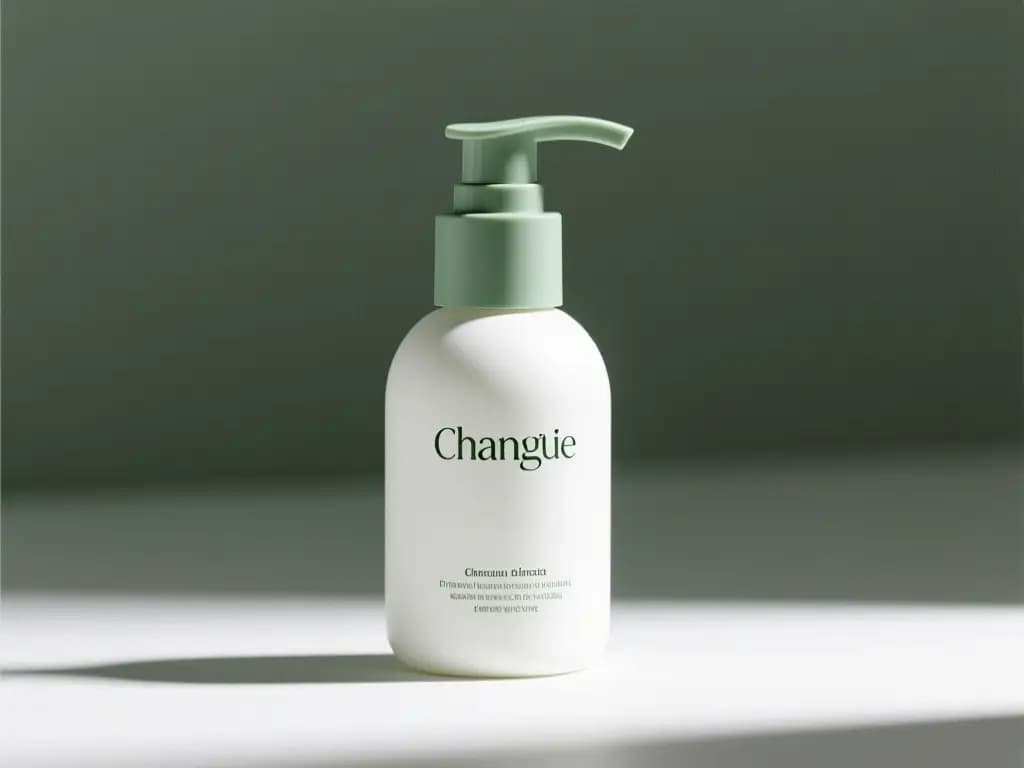
Luxury Packaging Hero Shot

Luxury Packaging Hero Shot

提示詞公式

[product] + [surface/background] + [lighting] + [finish] + [usage context]

查看提示詞細節展開

完整提示詞

A luxury skincare bottle resting on a warm stone plinth, soft directional studio lighting, subtle shadow gradient, clean e-commerce hero shot, realistic surface reflections, modern luxury packaging, minimalist background, polished commercial photography finish

為什麼有效

This prompt is detailed, material-focused, and clear about lighting and commercial finish needs.

預期輸出

A polished product shot ideal for a landing page hero, product detail page, or ad mockup.

提示

  • Pinpoint your product and surface first before setting the overall mood.
  • Add material-specific terminology like glass, matte, brushed metal, or paper stock.
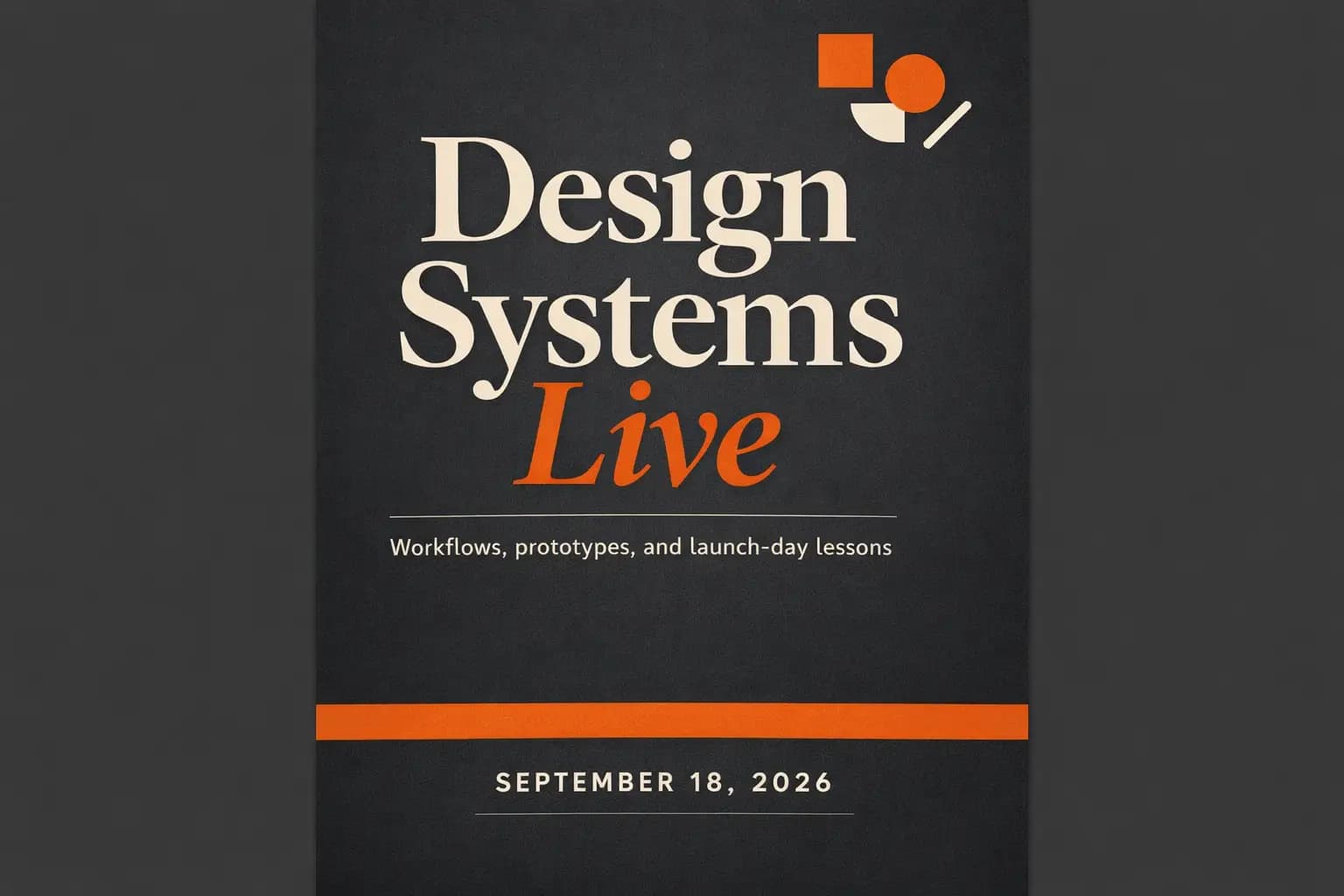
Text-Heavy Poster

適合的提示詞方向

Perfect when your headline, text hierarchy, and poster layout are just as critical as the visual artwork.

Conference Launch Poster with Clear, Legible Headline

Conference Launch Poster with Clear, Legible Headline

提示詞公式

[subject] + [headline text] + [layout hierarchy] + [background style] + [poster intent]

查看提示詞細節展開

完整提示詞

Modern design conference launch poster, bold headline "Design Shift 2026", smaller subhead "Creative Systems for Teams", prominent centered text hierarchy, black background with neon cyan and silver accents, premium editorial poster layout, easy-to-read typography, balanced spacing

為什麼有效

This prompt splits poster content, text hierarchy, and visual treatment instead of bundling all details into generic style language.

預期輸出

A text-focused poster concept with tighter layout guidance and sharper typography.

提示

  • Add exact text in quotation marks when wording is critical to your project.
  • Map out text hierarchy separately from colors and overall tone.
Image-to-Image Edit

適合的提示詞方向

Ideal for targeted edits where your base object or layout must stay instantly recognizable.

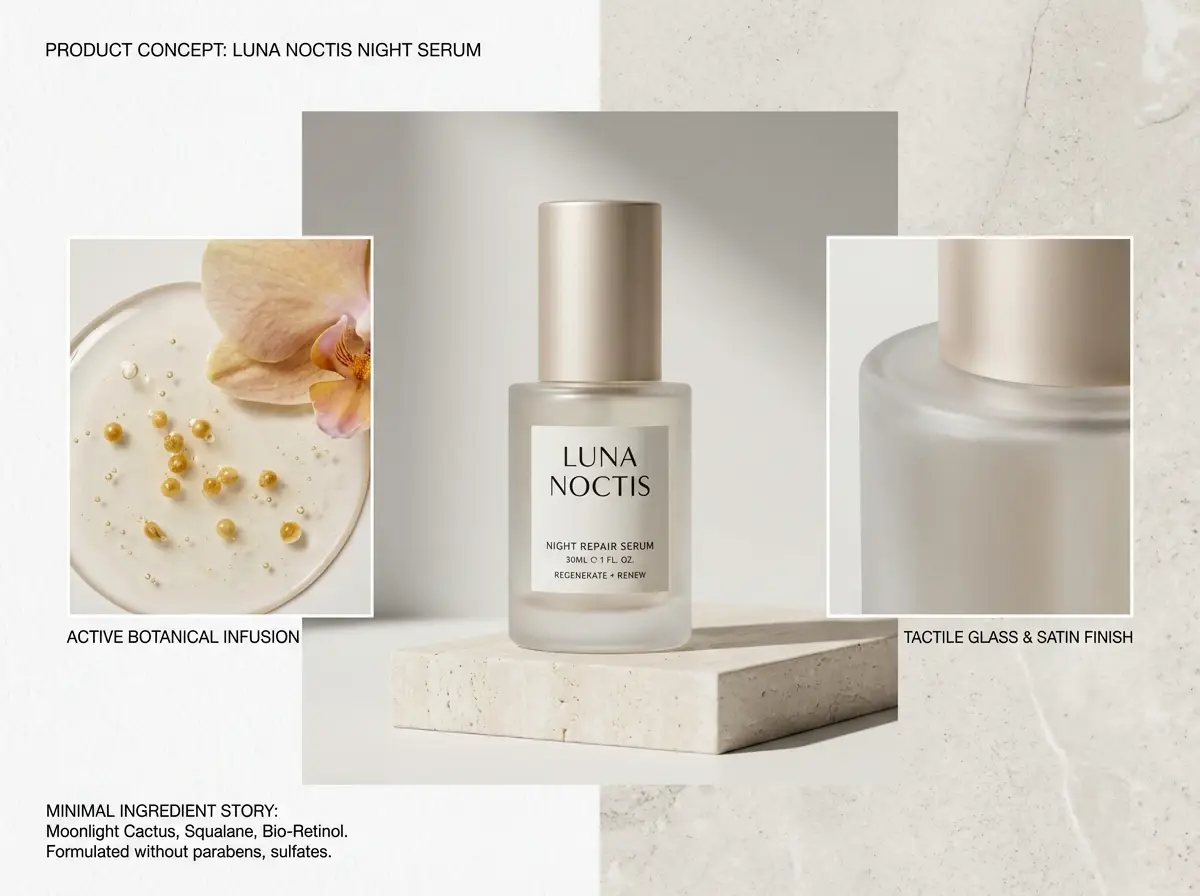
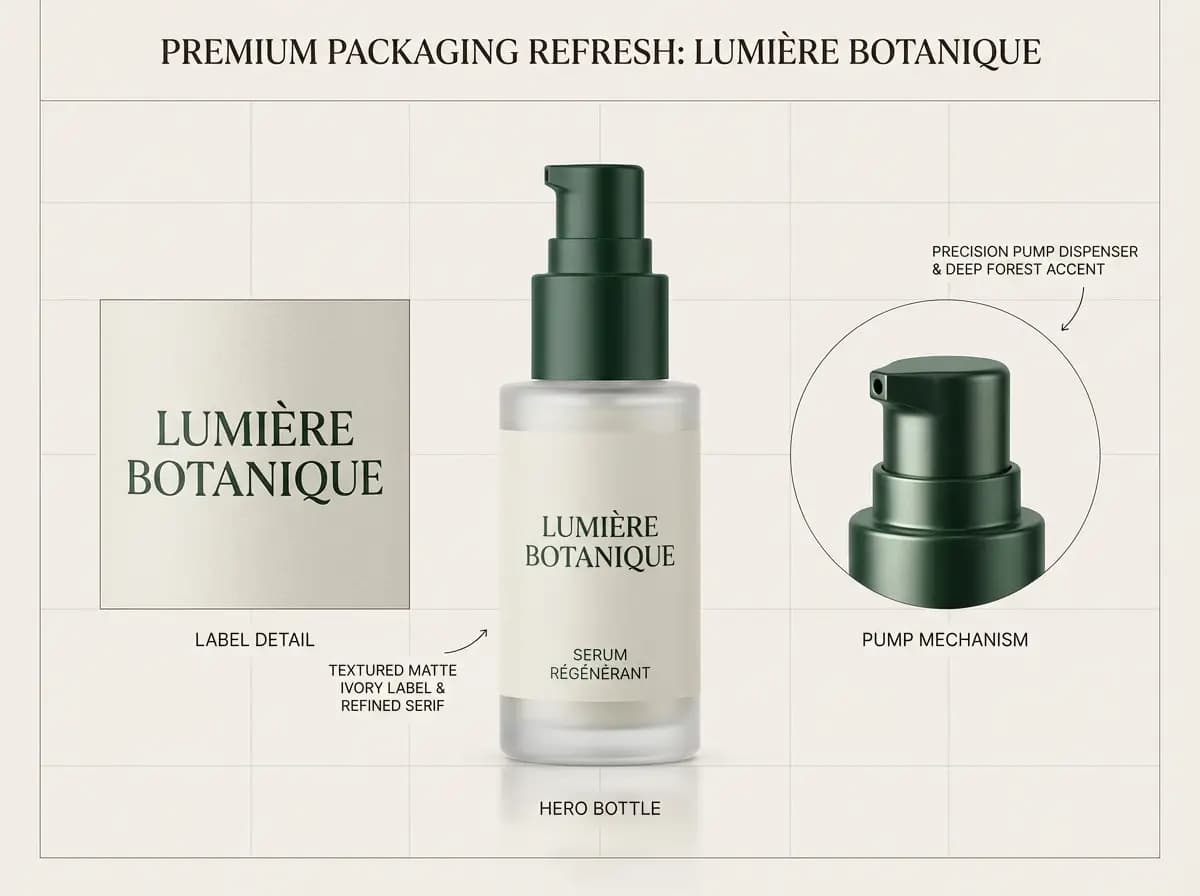
Reference-Driven Packaging Refresh

Reference-Driven Packaging Refresh

提示詞公式

[what stays] + [what changes] + [new style/material/color direction]

查看提示詞細節展開

完整提示詞

Keep the bottle shape, front-facing layout, and cap structure from the reference photo. Tweak the packaging to matte white with desaturated sage accents, softer editorial studio lighting, elevated premium skincare branding, cleaner retail presentation, and subtle shadow control

為什麼有效

This prompt first maps out which elements must stay consistent before requesting the edit, reducing unintended visual adjustments.

預期輸出

A targeted refresh that preserves product identity intact while upgrading the overall visual system.

提示

  • Prioritize consistent elements first in your prompt.
  • Draft your edit request with more detail than your initial creative concept.
Campaign Creative

適合的提示詞方向

Perfect for polished editorial campaigns where mood, finish, and styling drive the overall visual impact.

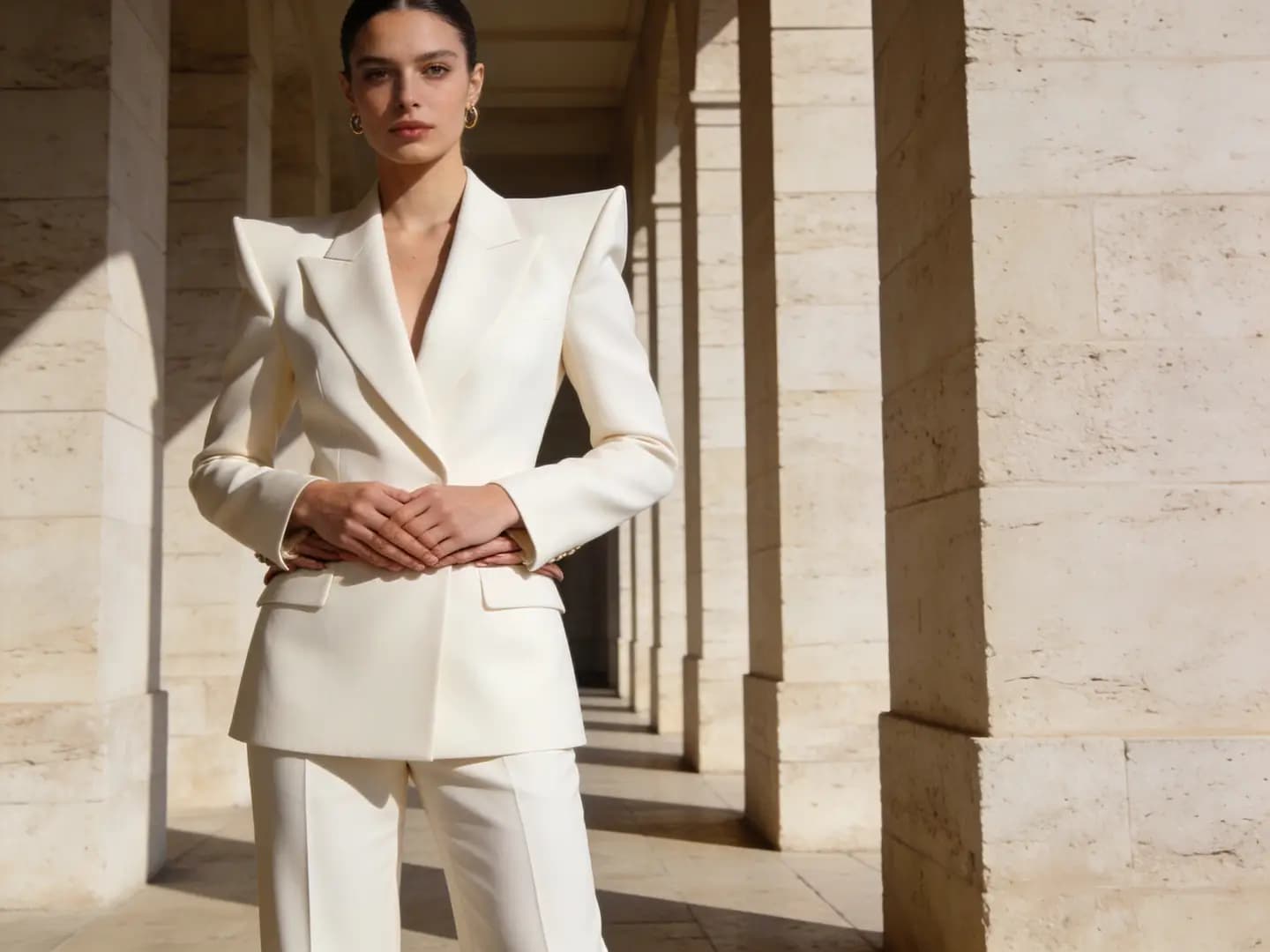
Luxury Fashion Campaign Shot

Luxury Fashion Campaign Shot

提示詞公式

[subject] + [styling] + [camera feel] + [lighting] + [campaign finish]

查看提示詞細節展開

完整提示詞

Editorial fashion campaign shot, self-assured model in structured cream tailoring, medium frame, luxury boutique lighting, subtle shadow falloff, glossy magazine-grade finish, premium styling, muted color palette, high-resolution campaign image for a luxury brand launch

為什麼有效

This prompt gives the model a clear editorial use case, limited color palette, and premium finish objective.

預期輸出

A polished campaign-style shot you can repurpose for lookbooks, ads, or hero banners.

提示

  • Focus on a single strong fashion or commercial context instead of multiple overlapping ideas.
  • Stick to a limited color palette for a luxurious, cohesive final output.
When To Use This Image Generation Workspace

Use This Workspace to Compare Models & Create Images Fast

Use this workspace when your workflow is clear but you’re unsure which model will deliver the strongest results. Start with a broad approach, then narrow your focus once a model family matches your exact requirements.

Use This Workspace for Unified AI Image Creation

Perfect if you want to switch between text-to-image and image-to-image quickly, compare multiple model families, and keep a simplified workflow.

Use a Dedicated Model Page Once You’ve Selected Your Tool

Navigate to a model-specific page when you’ve already decided you want GPT-4o, Z-Image, Seedream, Flux, or Seedance and need more detailed prompt templates or model-specific validation.

Creator Community Insights

Community Examples & Model Talks for AI Image Creation

These videos, X posts, and Reddit threads show how creators compare image models in real-world workflows, not just reviewing technical specification papers.

視訊範例

X貼文

Reddit 討論

FAQs

常見問題

All About Seedance 3 Video and Our Official Platform

What can I generate here?

You can build text-to-image and image-to-image assets entirely within one workspace, then switch models at any stage to land on a one-of-a-kind prompt outcome, sharper text, or a unique visual style.

Which image models are available?

Choose from GPT-4o, Seedance Pro, Seedance 2, Seedream, Flux, Qwen Image, Z-Image, and Seedance Flash—each optimized to match your unique workflow needs.

Can I use reference images here?

Absolutely. This workspace supports reference-image workflows, meaning you can start with just text or add multiple reference photos any time layout, product shape, or subject identity calls for more exact creative control.

How do I choose the right model?

Start with GPT-4o first if sharp text clarity and strict prompt following are your top priorities. Pick Seedance for powerful hosted editing tools and multi-image context support. Opt for Seedream for polished, campaign-ready visuals, Flux for flexible art direction, and Z-Image if open-source model workflows align with your creative objectives.

Do all models support the same ratios and inputs?

Absolutely not. This tool will only show aspect ratios, image upload caps, and resolution presets that your currently selected model natively supports.

When should I use this page instead of a dedicated model page?

Pick this page if you want to jump straight into generation and compare multiple image models without extra hassle. Move over to a dedicated model page once you’ve settled on a specific tool and want more detailed prompt examples and customized, model-specific guidance.

Still have unanswered questions? Our dedicated support team is here to help you

Join Discord
Key Navigation Paths

Top Dedicated Image Model Hub Destinations

Navigate to a dedicated image model page once a specific family aligns with your creative goals.

GPT-4o AI Image Generator

Perfect for projects where text readability, diagram generation, and precise prompt following are critical.

查看模型

Seedance Pro

Ideal for premium hosted image generation and powerful multi-image editing tools.

查看模型

Seedance 2

Excellent for grounded generation or when you need more detailed, richer image context.

查看模型

Seedream 4 AI Image Generator

Perfect for polished, campaign-ready visuals and a unique hosted image generation feel.

查看模型

Z-Image AI Generator

Ideal for open-source model workflows and when you want to shift to self-hosted implementation down the line.

查看模型

Flux 2 AI Image Generator

Perfect if you want an alternative route to polished art direction and prompt-led image generation.

查看模型

Start Your AI Image Creation Today

Pick a model, add a prompt or reference image, and create your first draft right above.

探索更多 AI 圖片風格

從 0 種藝術風格中發現更多 AI 圖片創作可能,多種模型與提示詞助你創作

暫無場景

暫無可用場景。稍後再來看看新的創意風格!